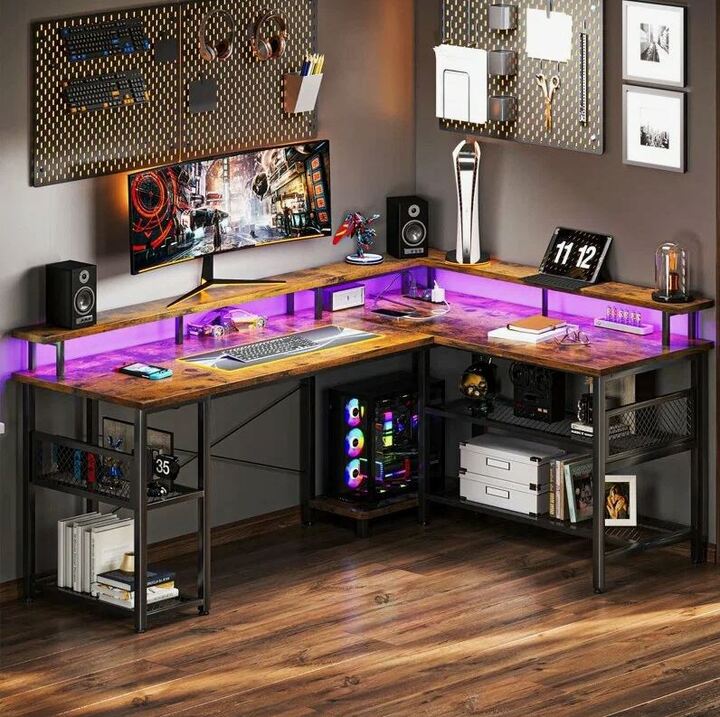
A well-planned office should make everyday work easier, more organized, and comfortable. Furniture has a major role in achieving this goal because employees rely on their workstations throughout the day. The Office Table provides the main surface for computers, files, notebooks, communication devices, and other workplace essentials. Choosing the right option can improve the use of available space while contributing to a professional interior. However, businesses should look beyond appearance when selecting furniture. Size, construction, storage, employee requirements, maintenance, and room layout all deserve attention. A suitable table can support focused work in private offices, efficient arrangements in shared workspaces, and productive interaction in collaborative areas.
Understand the Role of Office Furniture
Office furniture should be selected according to the activities performed in a particular workplace. An employee who spends most of the day working with digital documents may need space for a monitor, keyboard, telephone, and accessories. Someone handling physical paperwork may require a wider working surface. Managers and executives may need additional storage, while reception staff may require room for communication equipment and visitor-related materials.
Understanding these requirements before purchasing furniture helps businesses create more practical work areas. Instead of selecting furniture simply because it looks attractive, companies can focus on how each piece will be used. This approach can also help avoid purchasing oversized furniture for small rooms or insufficiently sized desks for demanding workstations.
Plan the Workspace Before Purchasing
Good furniture planning begins with accurate measurements. The dimensions of the room should be recorded before choosing desks, cabinets, meeting furniture, or storage units. Businesses should also identify doors, windows, electrical points, columns, and other fixed features that may affect furniture placement.
Chair movement should be included in the planning process. Employees need enough room to sit comfortably and move away from their desks when required. Walkways should remain clear so that people can move through the office without unnecessary obstacles.
A simple floor plan can make the selection process easier. It allows businesses to visualize how many workstations can fit into a room while maintaining practical circulation space. This is particularly useful for offices where every square meter needs to be used carefully.
Select a Design That Fits the Work
Different table styles can serve different professional requirements. Straight rectangular designs are highly adaptable and can be used in private offices, shared workstations, and administrative areas. They can also be positioned along walls to make better use of available floor space.
Corner-based designs can provide additional surface area without requiring a large central footprint. These can be useful for employees who need separate spaces for computer work, writing, or organizing documents.
Collaborative areas may benefit from circular, oval, or larger rectangular tables. The choice should depend on the number of users, the available room, and whether the space is primarily intended for meetings, presentations, or informal discussions.
Give Priority to Comfortable Workstations
A workstation should support comfortable daily use. Employees can spend many hours at their desks, so furniture dimensions should work properly with the office chair and computer setup.
The work surface should be at a suitable height, and there should be sufficient space underneath for comfortable leg positioning. Equipment should be placed where employees can use it without constantly stretching or turning.
Monitor placement is another consideration. A workstation should provide enough surface area to position screens appropriately while leaving room for other essential materials. A comfortable setup can make routine office activities more convenient.
Choose Appropriate Construction and Finishes
The construction quality of office furniture can influence how well it performs under regular use. Businesses may consider engineered wood, laminate, solid wood, metal, glass, or combinations of these materials.
Laminate finishes can offer a practical solution for busy workspaces and are available in many patterns and textures. Metal frames can provide structural strength, while wood finishes can create a warmer professional atmosphere.
The choice should reflect the environment where the furniture will be installed. A high-traffic employee area may require a durable and easy-to-maintain surface. An executive office or reception area may place greater emphasis on finish and presentation.
Improve Storage Around Workstations
A lack of storage can quickly make a workplace difficult to manage. Files, stationery, office supplies, and personal belongings may occupy valuable working space when there is no suitable place to keep them.
Drawers can store smaller items, while mobile pedestals provide convenient access to frequently used materials. Filing cabinets and shelves can handle larger quantities of documents and supplies.
Storage should be positioned according to workflow. Items used every day should remain easy to access, while materials that are rarely required can be stored farther away. This simple approach can keep work surfaces clearer and make office organization easier.
Manage Cables and Technology
Technology is now part of almost every modern workstation. Computers, monitors, telephones, chargers, printers, and other equipment can result in several cables running around a desk.
Cable-management features can help address this issue. Cable holes, trays, clips, and concealed channels can keep wires organized and reduce visual clutter. They can also make it easier to identify connections when equipment needs maintenance or replacement.
Technology requirements should be considered before furniture is installed. Planning electrical access and equipment positions in advance can prevent awkward arrangements later.
Create Productive Meeting Spaces
Individual workstations are only one part of an effective office. Teams also need spaces where they can hold discussions, review projects, meet clients, and conduct presentations.
Meeting furniture should provide enough room for participants without making the room difficult to navigate. The number of expected users should guide the size and shape of the table.
Technology should also be considered. Modern meetings may involve laptops, screens, projectors, and charging equipment. A properly organized meeting area can accommodate these needs while keeping cables and equipment under control.
Use Limited Floor Space Wisely
Small offices require careful furniture selection. Large pieces can consume valuable floor area and make rooms feel crowded. Compact furniture can provide necessary functionality while leaving more space for movement.
Corner workstations, narrow desks, mobile storage, and vertical shelving can all contribute to better space utilization. Businesses can also consider multipurpose furniture that serves more than one function.
The objective should not be to fill every empty section of the room. A useful office needs open areas for movement, access to facilities, and comfortable chair positioning. Efficient planning means using space intelligently rather than simply adding more furniture.
Maintain a Consistent Interior Appearance
Furniture contributes to the visual identity of an office. A coordinated selection of finishes and materials can make separate areas appear connected and professionally planned.
Businesses can choose neutral surfaces for a clean corporate setting or wood-inspired textures for a warmer environment. Reception areas may use more prominent furniture, while employee workstations can focus on simple, functional designs.
Furniture should also complement walls, flooring, lighting, and other interior elements. A consistent combination of finishes can create a polished workplace without requiring excessive decoration.
Consider Flexible Furniture for Business Growth
Workplaces can change as companies expand. New employees may join teams, departments may move, and rooms may need to serve new purposes. Furniture that can adapt to these changes can be useful for growing organizations.
Modular workstations can allow businesses to rearrange employee areas when necessary. Movable storage units can also be relocated without major disruption. Multipurpose tables can serve different functions depending on the needs of the room.
Thinking about future requirements during the initial purchasing process can make later changes simpler and potentially reduce unnecessary replacement costs.
Take Care of Office Furniture
Regular maintenance can help furniture retain its appearance and functionality. Work surfaces should be cleaned using products suitable for the selected material. Spills should be addressed quickly, particularly on surfaces that may be vulnerable to staining.
Hardware should also be inspected occasionally. Loose screws, damaged fittings, unstable legs, and malfunctioning drawers can affect usability and should be repaired promptly.
Employees should follow reasonable usage practices and avoid placing excessive loads on furniture. Consistent care can help maintain a professional workplace and extend the useful service life of furniture.
Build a Workplace Around Real Needs
The most useful furniture plan is one based on the way employees actually work. Businesses should evaluate workstation requirements, team structures, available space, technology, storage, and future expansion before finalizing a layout.
Individual work areas should provide sufficient room for focused tasks, while shared spaces should support meetings and communication. Storage should be accessible without creating obstacles, and technology should be incorporated into the furniture arrangement.
When these elements are planned together, an office can become easier to navigate and more comfortable to use. Furniture then becomes more than an interior feature; it becomes part of the workplace system.
Frequently Asked Questions
How do I choose the right office furniture?
Consider the room dimensions, employee responsibilities, equipment requirements, storage needs, furniture quality, comfort, and overall office layout.
What table works well for limited office space?
Compact rectangular and corner-oriented designs can provide useful workspace while making efficient use of smaller rooms.
Why should storage be planned with desks?
Integrated or nearby storage helps keep documents and supplies organized without taking up valuable working space.
Is cable management necessary for modern offices?
It is useful because most workstations contain several electronic devices, and organized cables can create a cleaner and more manageable setup.
How can office furniture remain useful for longer?
Regular cleaning, careful use, hardware inspections, and timely repairs can help preserve furniture and reduce premature replacement.
Conclusion
A successful office environment combines practical furniture with thoughtful space planning. The right furniture can provide employees with comfortable work areas, support technology, improve organization, and create a professional appearance. Businesses should evaluate dimensions, table styles, materials, storage, ergonomics, cable management, maintenance, and flexibility before making purchasing decisions. Each part of the workplace can then be designed according to its purpose, whether it is an individual workstation, executive office, reception area, or collaborative meeting room. For businesses seeking fresh ideas for workplace planning, Modern office table designs can offer useful inspiration for creating an efficient and visually coordinated professional environment.
 Venues